






























Elecrow’s CrowPanel rotary display tested as a DIY control hub
Arabian Post Staff -Dubai Elecrow’s CrowPanel Rotary Display is positioning itself as a compact, multifunctional control interface for hobbyists and developers seeking tactile interaction in smart home and embedded projects. Designed as a programmable rotary knob with an integrated display, the device aims to bridge the gap between touchscreens and physical controls, offering a more intuitive way to manage connected systems without relying solely on mobile apps. […] The article Elecrow’s CrowPanel rotary display tested as a DIY control hub appeared first on Arabian Post.
Arabian Post Staff -Dubai
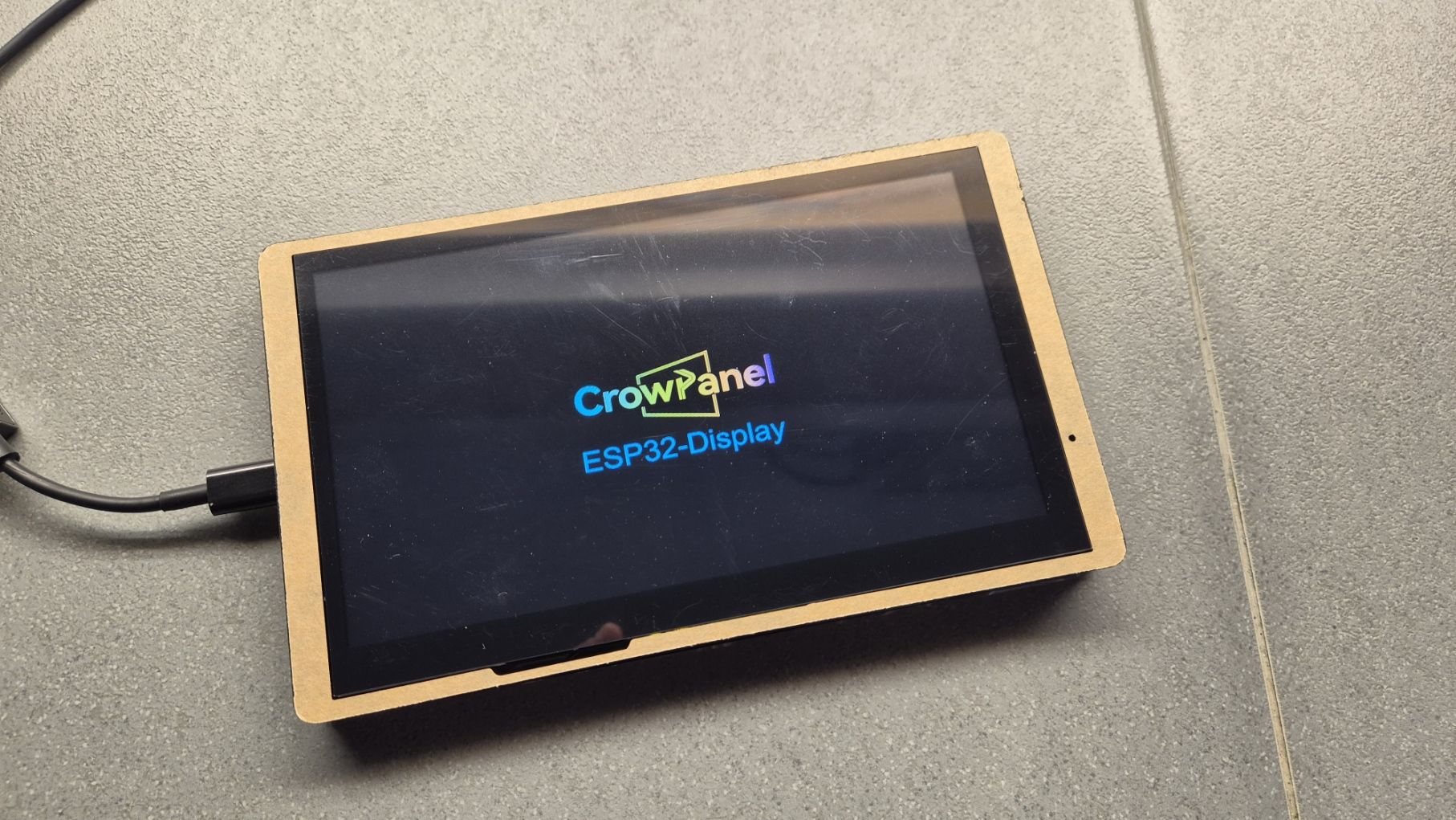
Elecrow’s CrowPanel Rotary Display is positioning itself as a compact, multifunctional control interface for hobbyists and developers seeking tactile interaction in smart home and embedded projects. Designed as a programmable rotary knob with an integrated display, the device aims to bridge the gap between touchscreens and physical controls, offering a more intuitive way to manage connected systems without relying solely on mobile apps.
At first glance, the CrowPanel Rotary Display presents a solid build that aligns with Elecrow’s broader reputation in the maker hardware space. The unit combines a colour LCD screen with a central rotary encoder that also functions as a push button. The casing feels sturdy enough for desk or wall-mounted use, and the encoder offers clear detents, which is critical for precision control. The screen resolution is sufficient for menus, icons and status readouts, though it is not intended for high-density graphical interfaces. Brightness levels are adequate for indoor environments, with viewing angles that remain usable when mounted at typical control-panel heights.
Hardware configuration centres on an ESP32-based architecture, a choice that immediately signals flexibility. The ESP32 provides built-in Wi-Fi and Bluetooth, making the CrowPanel suitable for wireless integration with local networks and smart home ecosystems. Power is supplied via USB, simplifying deployment for DIY users, though those planning permanent installations may need to consider cable routing or alternative power solutions. GPIO access is limited compared with development boards, but sufficient for the intended role as an interface rather than a sensor hub.
Setting up the CrowPanel requires a degree of familiarity with microcontroller workflows. Out of the box, the device does not function as a plug-and-play consumer product. Users are expected to flash firmware, configure libraries and map controls to specific functions. Elecrow provides documentation and sample code, which lowers the barrier for experienced makers, but beginners may face a learning curve. The process typically involves configuring the display driver, defining rotary encoder behaviour and setting up network credentials. Once these steps are completed, the panel becomes highly adaptable.
Integration with Home Assistant has emerged as one of the more compelling use cases. By configuring the CrowPanel to communicate with Home Assistant’s API or MQTT broker, the rotary knob can be mapped to control lights, thermostats, media players or scenes. Rotational input allows for smooth adjustments, such as dimming lights or changing volume, while the push function can toggle states or confirm selections. The display can show real-time feedback, including temperature readings, device status or scene names, reducing the need to check a phone or wall tablet.
Latency during testing remains low when the device operates on a stable local network. Commands issued through the rotary encoder register quickly within Home Assistant, reinforcing the value of local control over cloud-dependent solutions. Reliability depends largely on firmware stability and network conditions, rather than limitations of the hardware itself. With careful configuration, the CrowPanel performs consistently over extended use.
Beyond smart homes, the CrowPanel Rotary Display lends itself to broader DIY and prototyping scenarios. Developers can repurpose it as a control surface for media applications, laboratory equipment or custom automation projects. The combination of tactile input and visual feedback makes it suitable for environments where touchscreens are impractical or where precise incremental control is required. Its relatively compact footprint also allows for creative enclosures or integration into existing panels.
There are, however, constraints that potential users should weigh. The absence of a consumer-friendly setup process limits its appeal to non-technical audiences. Display size restricts the complexity of on-screen information, and the single rotary control, while versatile, cannot replace multi-input panels for more demanding interfaces. Long-term durability of the encoder will depend on usage patterns, particularly in high-frequency adjustment scenarios.
The article Elecrow’s CrowPanel rotary display tested as a DIY control hub appeared first on Arabian Post.
What's Your Reaction?